
Introduction: Revolutionize Your ESP32 Projects Today
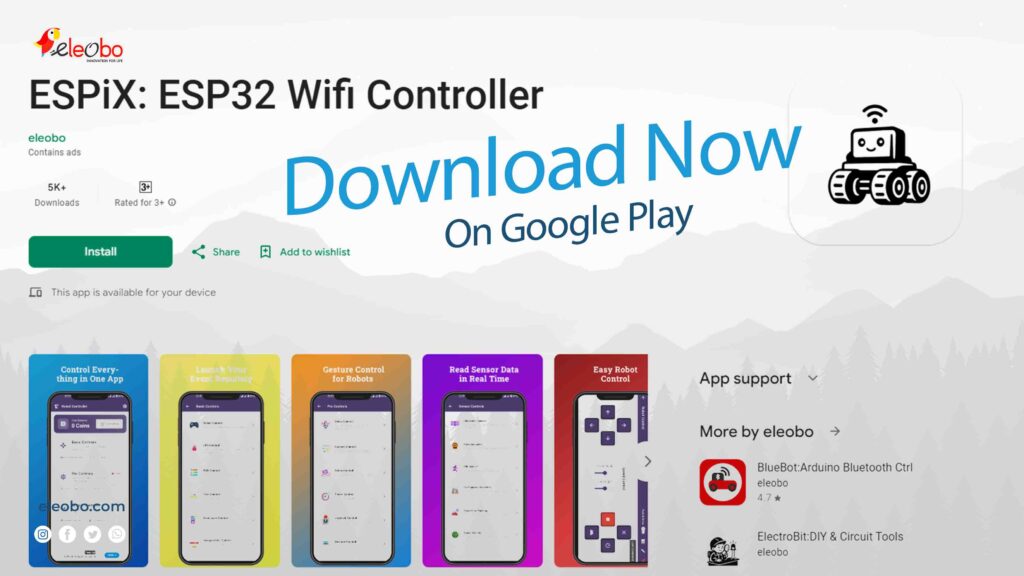
Are you searching for the perfect ESP32 Wi-Fi controller that delivers professional results without breaking your budget? Look no further. In today’s maker ecosystem, finding reliable wireless control solutions challenges even experienced developers. However, ESPiX, a powerful ESP32 Wi-Fi controller developed by Eleobo, emerges as a game-changing solution that transforms how you interact with ESP32 projects—combining reliability, flexibility, and professional-grade performance in one seamless app.
Throughout this comprehensive guide, I’ll walk you through every feature of this remarkable ESP32 WiFi controller. Moreover, you’ll discover practical applications, setup instructions, and real-world examples that demonstrate why thousands of makers trust ESPiX daily. Additionally, this free application eliminates the frustration of juggling multiple apps while delivering capabilities that rival expensive commercial solutions.
Let’s dive into the extraordinary world of ESPiX and explore why this ESP32 WiFi controller stands head and shoulders above the competition.
Why You Need a Comprehensive ESP32 WiFi Controller
First and foremost, let’s address the fundamental question: Why does your project need a dedicated ESP32 WiFi controller? Traditional control methods force you into complex configurations, limited functionality, and fragmented user experiences. Consequently, simple tasks become unnecessarily complicated.
Furthermore, most available solutions either cost substantial money or deliver minimal functionality. You’re left choosing between expensive professional tools and inadequate free alternatives. ESPiX shatters this false dichotomy by offering comprehensive features absolutely free.
Additionally, modern ESP32 projects demand versatility. Your robot needs precise movement control. Your smart home requires intuitive lighting management. Your monitoring systems need real-time visualization. Instead of installing separate apps for each requirement, this ESP32 WiFi controller consolidates everything into one powerful platform.
Feature #1: Precision Robot Control System
Now, let’s explore the core functionality that makes ESPiX an exceptional ESP32 WiFi controller. The robot control interface delivers professional-grade movement management through your smartphone. You simply tap directional buttons, and your robot responds instantly.
Moreover, the system offers two distinct operation modes. Hold mode maintains movement while you press buttons, providing continuous control during navigation. Alternatively, Drive mode delivers incremental movements, perfect for precise positioning tasks. This flexibility ensures your ESP32 WiFi controller adapts to different project requirements seamlessly.
Furthermore, speed adjustment sliders empower you to fine-tune motor performance dynamically. You can gradually increase velocity during open navigation, then slow down for delicate maneuvers. The ESP32 WiFi controller processes these adjustments in real-time without lag or delay.
Additionally, the boot lock safety feature prevents accidental movements during startup. You activate this protection before powering motors, ensuring your robot remains stationary until you’re ready. This thoughtful design demonstrates how ESPiX prioritizes user safety alongside functionality.
Feature #2: Unlimited LED Controller Customization
Next, let’s examine how this ESP32 WiFi controller revolutionizes lighting management. The LED controller section allows you to create unlimited custom buttons for controlling lights, indicators, or any connected devices. You’re not constrained by artificial limitations—add as many controls as your project requires.
Moreover, each button becomes fully customizable within this ESP32 WiFi controller. Rename buttons to match their functions, assign distinctive colors for quick identification, and configure either toggle or momentary actions. Consequently, you create an interface perfectly tailored to your specific project needs.
Furthermore, the organizational capabilities shine through group management features. You can categorize buttons logically—perhaps grouping room lights separately from outdoor illumination. This structure transforms complex lighting setups into intuitive tap operations.
Additionally, the visual feedback system ensures you always know your device states. Active buttons display highlighted, while inactive ones appear dimmed. This immediate confirmation prevents confusion during operation, making your ESP32 WiFi controller experience smooth and error-free.
Feature #3: Inauguration Controller for Special Moments
Transitioning to more unique features, the inauguration controller represents something special within this ESP32 WiFi controller. This innovative function helps you ceremoniously launch new projects or activate important sequences with single-tap simplicity.
Imagine unveiling a new invention at a maker fair. Instead of fumbling with multiple buttons, you simply press the inauguration control within your ESP32 WiFi controller. Instantly, your device springs to life with coordinated LED sequences, sound effects, or complex startup routines.
Moreover, this controller excels at presentation scenarios. Whether demonstrating projects to clients or showcasing creations at exhibitions, the inauguration feature adds professional polish. Your ESP32 WiFi controller becomes not just functional but impressive.
Furthermore, you can program elaborate startup sequences that execute automatically. Perhaps your robot performs a greeting gesture, displays welcome messages on LED matrices, and announces readiness through speakers all triggered by one button press in your ESP32 WiFi controller.
Feature #4: Matrix Display Control Made Simple
Continuing our exploration, let’s discuss how this ESP32 WiFi controller manages LED matrix displays with remarkable ease. The dedicated matrix control interface provides visual representation directly on your smartphone screen, showing exactly what appears on your physical 8×9 display.
Moreover, you can design patterns before sending them to hardware. Tap individual cells to toggle them on or off, creating custom graphics or text layouts. The ESP32 WiFi controller instantly previews your designs, eliminating guesswork and reducing development time significantly.
Furthermore, the system supports scrolling text messages. You simply type your desired message within the ESP32 WiFi controller, select scroll speed, and activate display. Your text flows smoothly across the matrix, perfect for notifications, announcements, or decorative displays.
Additionally, pre-programmed animations add dynamic elements to your projects. The ESP32 WiFi controller includes various effects like wave patterns, random sparkles, and cascading sequences. You can trigger these animations instantly or schedule them for specific times.
Feature #5: Revolutionary Voice Control System
Now we arrive at one of the most impressive capabilities of this ESP32 WiFi controller: comprehensive voice control functionality. Instead of tapping buttons constantly, you simply speak natural commands like “turn on lights” or “move forward,” and your ESP32 responds immediately.
Moreover, the voice recognition system learns your speech patterns. Initially, you might train common commands within the ESP32 WiFi controller, teaching it your pronunciation and preferred phrasing. Consequently, accuracy improves dramatically over time, making voice control increasingly reliable.
Furthermore, you can create custom voice commands for complex sequences. Perhaps saying “movie mode” triggers your ESP32 WiFi controller to dim lights, close blinds, and activate a projector—all from one spoken phrase. This automation transforms everyday tasks into effortless experiences.
Additionally, the hands-free operation proves invaluable during practical work. When your hands are occupied with tools or materials, voice commands through your ESP32 WiFi controller keep projects moving forward without interruption. You maintain productivity while staying safely focused on your physical work.
Feature #6: Intuitive Gesture Control
Transitioning to another innovative feature, gesture control transforms your smartphone into a motion-sensing remote for your ESP32 WiFi controller. The system uses your phone’s built-in accelerometer and gyroscope to detect physical movements, translating them into precise device commands.
Moreover, the control scheme feels remarkably natural. Tilt your phone forward, and your robot moves ahead. Tilt backward for reverse movement. Rotate left or right for turning. The ESP32 WiFi controller processes these gestures smoothly, creating an intuitive connection between your movements and device responses.
Furthermore, sensitivity customization ensures comfortable operation for different users. Some people prefer subtle tilts triggering immediate responses, while others want more pronounced movements. Your ESP32 WiFi controller accommodates both preferences through adjustable sensitivity settings.
Additionally, gesture control excels in scenarios requiring variable speed control. Tilting slightly produces slow, careful movements, while aggressive tilts generate faster responses. This proportional control gives you nuanced command over your devices through the ESP32 WiFi controller interface.
Feature #7: Swipe Controller Alternative
Continuing our feature exploration, the swipe controller provides yet another control method within this versatile ESP32 WiFi controller. This interface responds to familiar swipe gestures—up for forward, down for reverse, left and right for turning movements.
Moreover, swipe control works beautifully in both portrait and landscape orientations. Your ESP32 WiFi controller automatically adapts to your holding preference, ensuring comfortable operation regardless of your device position. This flexibility proves especially valuable during extended control sessions.
Furthermore, swipe sensitivity adjusts to match your style. Quick, short swipes can trigger momentary actions, while longer swipes produce sustained movements. The ESP32 WiFi controller interprets your gestures intelligently, providing responsive yet predictable behavior.
Additionally, visual feedback enhances the swipe experience. Directional indicators appear briefly when you swipe, confirming your ESP32 WiFi controller registered the command correctly. This immediate confirmation prevents repeated attempts and reduces confusion during operation.
Feature #8: Precision Servo Motor Control
Next, let’s examine how this ESP32 WiFi controller manages servo motors with exceptional precision. The dedicated servo interface provides smooth sliders for angle adjustment, letting you position servos exactly where needed with minimal effort.
Moreover, you can set predefined positions within your ESP32 WiFi controller for commonly used angles. Perhaps your robotic arm requires specific positions for picking, holding, and releasing objects. You simply save these positions once, then recall them instantly during operation.
Furthermore, the sweeping motion feature creates smooth servo movements between angles. Instead of jerky transitions, your ESP32 WiFi controller generates fluid motions that look professional and reduce mechanical wear. You can adjust sweep speed to match your project requirements perfectly.
Additionally, real-time feedback displays current servo positions visually. The ESP32 WiFi controller shows angle indicators that update as servos move, helping you understand device state at a glance. This transparency proves invaluable during complex multi-servo operations.
Feature #9: Powerful Timer Controller
Transitioning to automation capabilities, the timer controller transforms your ESP32 WiFi controller into a sophisticated scheduling system. You can program devices to activate at specific times, creating automated routines that run without constant supervision.
Moreover, multiple timers operate independently within the same ESP32 WiFi controller interface. Schedule morning lights at 6 AM, activate pet feeders at noon, and trigger evening routines at sunset—all from one unified system. Each timer maintains its own schedule and actions.
Furthermore, repetition patterns add flexibility to automation. Your ESP32 WiFi controller supports one-time events, daily repetitions, weekly schedules, or custom intervals. Consequently, you create automation patterns matching your actual lifestyle and project needs.
Additionally, timer editing happens quickly through the intuitive ESP32 WiFi controller interface. You can modify schedules, update actions, or temporarily disable timers without deleting entire configurations. This flexibility encourages experimentation and refinement of your automation systems.
Feature #10: Advanced Radar Visualization
Now we reach one of the most visually impressive features of this ESP32 WiFi controller: real-time radar visualization. When you connect ultrasonic sensors to your ESP32, the app displays surrounding objects visually on your smartphone screen, creating a dynamic environmental map.
Moreover, distance measurements appear alongside object representations. Your ESP32 WiFi controller shows precise centimeter readings, helping you understand exactly how far obstacles are from your sensors. This information proves invaluable for navigation and safety applications.
Furthermore, the radar display updates continuously as your device moves. The ESP32 WiFi controller refreshes multiple times per second, providing smooth animations that reflect changing environments accurately. You can watch objects appear, move, and disappear in real-time.
Additionally, customizable detection ranges optimize the radar display for different scenarios. Close-range detection focuses on nearby obstacles, while extended range scanning reveals distant objects. Your ESP32 WiFi controller adapts to match your specific monitoring requirements.
Feature #11: Smart Parking Management
Continuing with practical applications, the smart parking controller demonstrates how this ESP32 WiFi controller solves real-world problems elegantly. When you implement parking sensors with your ESP32, the app visualizes parking space availability directly on your phone.
Moreover, the interface distinguishes occupied spaces from available ones through color coding. Your ESP32 WiFi controller displays green for open spots and red for occupied ones, providing instant status understanding at a glance. This visual clarity eliminates confusion during busy periods.
Furthermore, notification systems alert you when spaces become available. You can configure your ESP32 WiFi controller to send alerts matching your preferences—perhaps notifying you only when specific preferred spaces open up, or alerting you whenever any space becomes available.
Additionally, historical data tracking reveals usage patterns over time. Your ESP32 WiFi controller can log occupancy information, helping you understand peak usage times and optimize parking area management. This analytical capability transforms simple parking monitoring into intelligent space utilization.
Feature #12: Earthquake Detection and Monitoring
Finally, we arrive at perhaps the most serious application of this ESP32 WiFi controller: earthquake detection and seismic monitoring. When you connect accelerometers to your ESP32, the system detects vibrations and displays seismic activity data visually through real-time graphs.
Moreover, threshold alarms provide critical safety functionality. You set maximum safe vibration levels within your ESP32 WiFi controller, and the system triggers notifications when readings exceed these thresholds. Consequently, you receive immediate alerts about potentially dangerous seismic activity.
Furthermore, data visualization helps you understand vibration patterns. Your ESP32 WiFi controller displays graphs showing vibration intensity over time, helping you distinguish between minor tremors and significant events. This contextual information supports better decision-making during emergencies.
Additionally, historical logging preserves seismic data for later analysis. Your ESP32 WiFi controller can store vibration records, letting you review past events and identify patterns. This capability proves valuable for geological research, structural monitoring, or personal safety applications.
Getting Started: Complete Step-by-Step Setup Guide
Now that you understand the incredible capabilities of this ESP32 WiFi controller, let’s walk through the complete setup process. Getting started takes just minutes when you follow these detailed instructions carefully.
Step 1: Download and Install ESPiX
First, open Google Play Store on your Android device and search for “ESPiX: ESP32 WiFi Controller.” Alternatively, navigate directly to the download link. Install this free ESP32 WiFi controller app—no hidden charges, no subscription requirements, no limitations whatsoever.
Step 2: Choose Your Controller Type
Next, launch the ESPiX app and browse through the available controller options. For LED control projects, select the “LED Controller” option from the main menu. This ESP32 WiFi controller interface provides unlimited customizable buttons for controlling your LEDs.
Step 3: Setup Arduino IDE for ESP32
Meanwhile, prepare your development environment for programming. Open Arduino IDE on your computer and navigate to File → Preferences. Add the ESP32 board manager URL to enable ESP32 support. Then, open Tools → Board → Boards Manager, search for “ESP32,” and install the ESP32 board package. This setup enables your ESP32 WiFi controller programming environment.
Step 4: Copy the Sample LED Control Code
Subsequently, copy the complete LED controller code provided below into Arduino IDE. This code creates the web server that communicates with your ESP32 WiFi controller app. The code supports up to 10 LEDs with individual on/off commands through simple letter-based controls.
Step 5: Configure and Upload Code
Then, connect your ESP32 board to your computer using a USB cable. In Arduino IDE, select your ESP32 board type from Tools → Board menu. Choose the correct COM port from Tools → Port menu. Finally, click the Upload button to transfer the code to your ESP32. Wait until you see “Done uploading” confirmation before proceeding.
Step 6: Connect LEDs to ESP32
Furthermore, wire your LEDs to the ESP32 GPIO pins according to the pin mapping in the code. Connect LED anodes to the designated GPIO pins through appropriate current-limiting resistors (typically 220-330 ohms). Connect all LED cathodes to the ESP32 ground pin. This ESP32 WiFi controller setup supports flexible pin assignments you can customize.
Step 7: Power Your ESP32
Now, power your ESP32 either through USB connection or external power supply. The device immediately creates a WiFi access point named “LED-Controller-AP” with password “12345678.” Your ESP32 WiFi controller network becomes active and ready for connections.
Step 8: Connect Your Phone to ESP32 WiFi
Next, on your Android phone, turn off mobile data/cellular network to prevent automatic switching. Then, long-press the WiFi icon in your notification shade or navigate to Settings → WiFi. Look for the network named “LED-Controller-AP” in the available networks list. Tap it and enter the password “12345678” to connect. Your phone now communicates directly with your ESP32 WiFi controller.
Step 9: Configure Buttons in ESPiX App
Subsequently, open the ESPiX app and ensure you’re in the LED Controller section. The app automatically detects and connects to your ESP32. Tap the “Add Button” option to create your first LED control button. This ESP32 WiFi controller interface lets you add unlimited buttons for complete customization.
Step 10: Customize Button Settings
Then, configure each button according to your needs. Rename buttons with descriptive labels like “Living Room Light” or “LED 1.” Assign colors to buttons for easy visual identification. Most importantly, set the command characters that match your ESP32 code—use “A” to turn LED 1 ON and “B” to turn LED 1 OFF. Your ESP32 WiFi controller responds instantly to these commands.
Step 11: Test Your LED Control
Finally, test your setup by tapping the buttons you created. Watch your LEDs turn on and off instantly as you press different buttons. The ESP32 WiFi controller provides real-time feedback, confirming successful command execution. Enjoy complete wireless control of your LED project from your smartphone.
Complete LED Controller Code for Your ESP32 WiFi Controller
Let’s examine the complete, production-ready code that transforms your ESP32 into a powerful LED controller compatible with the ESPiX ESP32 WiFi controller app. This code supports up to 10 LEDs with individual on/off controls through simple letter commands.
Full Arduino Code – Copy and Paste
#include <WiFi.h>
#include <WebServer.h>

// WiFi Access Point credentials
const char* ssid = "LED-Controller-AP";
const char* password = "12345678";

// Create web server on port 80
WebServer server(80);

// LED state tracking variables
bool ledStates[20] = {false};  // Support up to 20 LEDs
String lastCommand = "None";
String feedbackMessage = "";

// Function prototypes
void handleCommand();
void controlLED(char command);
void toggleLED(int ledIndex);
void turnOnLED(int ledIndex);
void turnOffLED(int ledIndex);
void displayCommand();
void handleRoot();
int getPinForLED(int ledIndex);

void setup() {
  // Initialize Serial communication
  Serial.begin(115200);
  delay(1000);

  // Display welcome message
  Serial.println();
  Serial.println("========================================");
  Serial.println("    ESP32 LED WiFi Controller");
  Serial.println("     Compatible with ESPiX App");
  Serial.println("========================================");

  // Create WiFi Access Point for ESP32 WiFi controller
  WiFi.softAP(ssid, password);

  // Display network information
  Serial.print("AP Network Name: ");
  Serial.println(ssid);
  Serial.print("AP Password: ");
  Serial.println(password);
  Serial.print("AP IP Address: ");
  Serial.println(WiFi.softAPIP());

  // Configure server endpoints for ESP32 WiFi controller
  server.on("/", handleRoot);          // Connection test endpoint
  server.onNotFound(handleCommand);    // All LED control commands

  // Start HTTP server
  server.begin();
  Serial.println("HTTP server started successfully");
  Serial.println("========================================");
  Serial.println("Ready for ESPiX LED Controller commands");
  Serial.println("Command Format: A=LED1 ON, B=LED1 OFF");
  Serial.println("                C=LED2 ON, D=LED2 OFF");
  Serial.println("                E=LED3 ON, F=LED3 OFF");
  Serial.println("========================================");
}

void loop() {
  // Handle incoming client requests continuously
  server.handleClient();
}

void handleRoot() {
  // Send connection confirmation to ESP32 WiFi controller app
  feedbackMessage = "LED Controller Ready | ESP32 Connected Successfully";
  server.send(200, "text/plain", feedbackMessage);
  displayCommand();
}

void handleCommand() {
  // Extract command from URL request
  String request = server.uri();

  // Remove leading slash from request
  if (request.startsWith("/")) {
    request = request.substring(1);
  }

  // Clean and store command
  String commandStr = request;
  commandStr.trim();
  lastCommand = commandStr;

  // Process command if valid
  if (commandStr.length() > 0) {
    char command = commandStr.charAt(0);
    controlLED(command);
  } else {
    feedbackMessage = "ERROR: No command received";
  }

  // Send response back to ESP32 WiFi controller
  server.send(200, "text/plain", feedbackMessage);
  displayCommand();
}

void controlLED(char command) {
  // Command mapping for ESP32 WiFi controller:
  // A/B = LED 1, C/D = LED 2, E/F = LED 3, G/H = LED 4, etc.

  switch(command) {
    // LED 1 controls (GPIO2)
    case 'A':
    case 'a':
      turnOnLED(0);
      feedbackMessage = "LED 1 ON | Pin: GPIO2";
      break;

    case 'B':
    case 'b':
      turnOffLED(0);
      feedbackMessage = "LED 1 OFF | Pin: GPIO2";
      break;

    // LED 2 controls (GPIO4)
    case 'C':
    case 'c':
      turnOnLED(1);
      feedbackMessage = "LED 2 ON | Pin: GPIO4";
      break;

    case 'D':
    case 'd':
      turnOffLED(1);
      feedbackMessage = "LED 2 OFF | Pin: GPIO4";
      break;

    // LED 3 controls (GPIO5)
    case 'E':
    case 'e':
      turnOnLED(2);
      feedbackMessage = "LED 3 ON | Pin: GPIO5";
      break;

    case 'F':
    case 'f':
      turnOffLED(2);
      feedbackMessage = "LED 3 OFF | Pin: GPIO5";
      break;

    // LED 4 controls (GPIO12)
    case 'G':
    case 'g':
      turnOnLED(3);
      feedbackMessage = "LED 4 ON | Pin: GPIO12";
      break;

    case 'H':
    case 'h':
      turnOffLED(3);
      feedbackMessage = "LED 4 OFF | Pin: GPIO12";
      break;

    // LED 5 controls (GPIO13)
    case 'I':
    case 'i':
      turnOnLED(4);
      feedbackMessage = "LED 5 ON | Pin: GPIO13";
      break;

    case 'J':
    case 'j':
      turnOffLED(4);
      feedbackMessage = "LED 5 OFF | Pin: GPIO13";
      break;

    // LED 6 controls (GPIO14)
    case 'K':
    case 'k':
      turnOnLED(5);
      feedbackMessage = "LED 6 ON | Pin: GPIO14";
      break;

    case 'L':
    case 'l':
      turnOffLED(5);
      feedbackMessage = "LED 6 OFF | Pin: GPIO14";
      break;

    // LED 7 controls (GPIO15)
    case 'M':
    case 'm':
      turnOnLED(6);
      feedbackMessage = "LED 7 ON | Pin: GPIO15";
      break;

    case 'N':
    case 'n':
      turnOffLED(6);
      feedbackMessage = "LED 7 OFF | Pin: GPIO15";
      break;

    // LED 8 controls (GPIO16)
    case 'O':
    case 'o':
      turnOnLED(7);
      feedbackMessage = "LED 8 ON | Pin: GPIO16";
      break;

    case 'P':
    case 'p':
      turnOffLED(7);
      feedbackMessage = "LED 8 OFF | Pin: GPIO16";
      break;

    // LED 9 controls (GPIO17)
    case 'Q':
    case 'q':
      turnOnLED(8);
      feedbackMessage = "LED 9 ON | Pin: GPIO17";
      break;

    case 'R':
    case 'r':
      turnOffLED(8);
      feedbackMessage = "LED 9 OFF | Pin: GPIO17";
      break;

    // LED 10 controls (GPIO18)
    case 'S':
    case 's':
      turnOnLED(9);
      feedbackMessage = "LED 10 ON | Pin: GPIO18";
      break;

    case 'T':
    case 't':
      turnOffLED(9);
      feedbackMessage = "LED 10 OFF | Pin: GPIO18";
      break;

    // Test command - toggle all LEDs
    case 'Z':
    case 'z':
      for (int i = 0; i < 10; i++) {
        toggleLED(i);
      }
      feedbackMessage = "Test Mode: All LEDs Toggled";
      break;

    // Unknown command handler
    default:
      feedbackMessage = "ERROR: Unknown command '" + String(command) + "'";
      Serial.print("Unknown command received: ");
      Serial.println(command);
      break;
  }
}

void toggleLED(int ledIndex) {
  // Toggle LED state for ESP32 WiFi controller
  ledStates[ledIndex] = !ledStates[ledIndex];
  int pin = getPinForLED(ledIndex);

  if (pin >= 0) {
    digitalWrite(pin, ledStates[ledIndex] ? HIGH : LOW);
  }
}

void turnOnLED(int ledIndex) {
  // Turn LED ON for ESP32 WiFi controller
  ledStates[ledIndex] = true;
  int pin = getPinForLED(ledIndex);

  if (pin >= 0) {
    digitalWrite(pin, HIGH);
  }
}

void turnOffLED(int ledIndex) {
  // Turn LED OFF for ESP32 WiFi controller
  ledStates[ledIndex] = false;
  int pin = getPinForLED(ledIndex);

  if (pin >= 0) {
    digitalWrite(pin, LOW);
  }
}

int getPinForLED(int ledIndex) {
  // GPIO pin mapping for ESP32 WiFi controller
  // Modify these pins according to your wiring setup

  int pinMapping[] = {
    2,   // LED 1 - GPIO2 (Built-in LED on most boards)
    4,   // LED 2 - GPIO4
    5,   // LED 3 - GPIO5
    12,  // LED 4 - GPIO12
    13,  // LED 5 - GPIO13
    14,  // LED 6 - GPIO14
    15,  // LED 7 - GPIO15
    16,  // LED 8 - GPIO16
    17,  // LED 9 - GPIO17
    18,  // LED 10 - GPIO18
    19,  // LED 11 - GPIO19 (expandable)
    21,  // LED 12 - GPIO21 (expandable)
    22,  // LED 13 - GPIO22 (expandable)
    23,  // LED 14 - GPIO23 (expandable)
    25,  // LED 15 - GPIO25 (expandable)
    26,  // LED 16 - GPIO26 (expandable)
    27,  // LED 17 - GPIO27 (expandable)
    32,  // LED 18 - GPIO32 (expandable)
    33,  // LED 19 - GPIO33 (expandable)
    34   // LED 20 - GPIO34 (expandable, input only)
  };

  if (ledIndex >= 0 && ledIndex < 20) {
    int pin = pinMapping[ledIndex];

    // Initialize GPIO pin on first use
    static bool pinsInitialized[20] = {false};
    if (!pinsInitialized[ledIndex]) {
      pinMode(pin, OUTPUT);
      digitalWrite(pin, LOW);
      pinsInitialized[ledIndex] = true;
    }

    return pin;
  }

  return -1;  // Invalid LED index
}

void displayCommand() {
  // Display command feedback on Serial Monitor
  Serial.println("-------------------");
  Serial.print("Command Received: ");
  Serial.println(lastCommand);
  Serial.print("Feedback Message: ");
  Serial.println(feedbackMessage);

  // Display active LED states
  Serial.print("Active LEDs: ");
  bool anyActive = false;
  for (int i = 0; i < 10; i++) {
    if (ledStates[i]) {
      Serial.print("LED");
      Serial.print(i + 1);
      Serial.print(" ");
      anyActive = true;
    }
  }
  if (!anyActive) {
    Serial.print("None");
  }
  Serial.println();
  Serial.println("-------------------");
}Command Reference for ESPiX LED Controller
When configuring buttons in your ESP32 WiFi controller app, use these command characters:
| LED Number | ON Command | OFF Command | GPIO Pin |
|---|---|---|---|
| LED 1 | A | B | GPIO2 |
| LED 2 | C | D | GPIO4 |
| LED 3 | E | F | GPIO5 |
| LED 4 | G | H | GPIO12 |
| LED 5 | I | J | GPIO13 |
| LED 6 | K | L | GPIO14 |
| LED 7 | M | N | GPIO15 |
| LED 8 | O | P | GPIO16 |
| LED 9 | Q | R | GPIO17 |
| LED 10 | S | T | GPIO18 |
Button Configuration Example in ESPiX
When adding buttons in your ESP32 WiFi controller app:
- Button Name: “Living Room Light ON”
- Command: A
- Color: Green
- Type: Momentary
- Button Name: “Living Room Light OFF”
- Command: B
- Color: Red
- Type: Momentary
- Button Name: “Bedroom Light ON”
- Command: C
- Color: Blue
- Type: Momentary
- Button Name: “Bedroom Light OFF”
- Command: D
- Color: Gray
- Type: Momentary
Continue this pattern for all LEDs you want to control through your ESP32 WiFi controller.
Why ESPiX Dominates the ESP32 WiFi Controller Market
Having explored all features and implementation details, let’s discuss why ESPiX stands alone as the definitive ESP32 WiFi controller solution. Several factors combine to create an unmatched user experience.
Comprehensive Feature Set
First, the sheer breadth of functionality within this single ESP32 WiFi controller eliminates the need for multiple specialized apps. You install one application and gain access to twelve distinct controllers, each professionally designed for specific project types.
Zero Cost Barrier
Moreover, ESPiX remains completely free without advertisements, subscriptions, or premium features locked behind paywalls. This ESP32 WiFi controller delivers full functionality to everyone equally, democratizing access to professional-grade control solutions.
Intuitive User Interface
Furthermore, the interface design prioritizes usability without sacrificing power. Beginners find the ESP32 WiFi controller approachable and easy to understand, while advanced users appreciate the sophisticated features and customization options available.
Active Development
Additionally, regular updates continuously improve this ESP32 WiFi controller. The development team responds to user feedback, adds requested features, and maintains compatibility with evolving ESP32 capabilities. Your investment of time learning ESPiX pays dividends as the platform grows stronger.
Strong Community Support
Finally, thousands of users worldwide create a vibrant community around this ESP32 WiFi controller. You’ll find tutorials, project examples, troubleshooting assistance, and inspiration from fellow makers using ESPiX in creative ways.
Real-World Applications and Project Ideas
Let’s explore practical applications demonstrating how this ESP32 WiFi controller transforms ideas into reality. These examples inspire your own projects while illustrating the platform’s versatility.
Home Automation Central Hub
Transform your living space using this ESP32 WiFi controller as your automation command center. Control lights throughout your home using the LED controller, schedule automated routines with the timer feature, and activate scenes through voice commands. The comprehensive feature set turns complex automation into simple smartphone taps.
Educational Robotics Platform
Schools and educators leverage this ESP32 WiFi controller for teaching robotics and programming concepts. Students control robots through multiple interfaces—buttons, gestures, voice commands, and swipes—learning how different control paradigms affect user experience. The free access ensures all students can participate regardless of budget constraints.
Security Monitoring System
Build comprehensive security systems using radar visualization and sensor monitoring through your ESP32 WiFi controller. Ultrasonic sensors detect movement around your property, displaying intruders on the radar interface. Threshold alerts notify you immediately of unusual activity, providing peace of mind through intelligent monitoring.
Agricultural Automation
Farmers and gardeners automate irrigation, lighting, and monitoring systems using this ESP32 WiFi controller. Schedule watering routines with the timer feature, monitor soil moisture levels through custom sensors, and activate grow lights based on time or sensor readings. The platform scales from small gardens to large agricultural operations.
Art Installations
Artists create interactive installations using gesture and voice control through this ESP32 WiFi controller. Visitors interact with artwork through natural movements and speech, creating immersive experiences that respond dynamically to human presence. LED matrix displays show generative patterns that evolve based on audience interaction.
Troubleshooting Common Issues
Even with an intuitive ESP32 WiFi controller like ESPiX, occasional issues arise. Let’s address common problems and their solutions to keep your projects running smoothly.
Connection Problems
If your smartphone cannot find the ESP32, first verify your device creates a WiFi access point correctly. Check that your ESP32 WiFi controller code includes proper network initialization. Additionally, ensure your smartphone connects to the ESP32’s network before attempting control operations.
Delayed Responses
When commands through your ESP32 WiFi controller experience lag, examine your WiFi signal strength. Physical obstacles between your phone and ESP32 degrade performance. Moreover, verify your ESP32 code processes requests efficiently without blocking operations that delay responses.
Inconsistent Voice Recognition
If voice commands through the ESP32 WiFi controller fail frequently, retrain common phrases in quieter environments. Background noise significantly impacts recognition accuracy. Furthermore, speak clearly and consistently, as the system learns your specific speech patterns over time.
Gesture Control Sensitivity
When gesture control feels too sensitive or unresponsive through your ESP32 WiFi controller, adjust the sensitivity settings within the app. Additionally, calibrate your phone’s sensors by following the built-in calibration process. Different phones require different sensitivity configurations for optimal performance.
Advanced Tips and Optimization Strategies
Maximize your ESP32 WiFi controller experience with these advanced techniques that experienced users employ for professional-level results.
Custom API Endpoints
Create specialized endpoints in your ESP32 code that respond to specific ESP32 WiFi controller commands. Instead of simple on/off controls, design endpoints that accept parameters for precise control. For example, LED brightness levels, servo angles, or motor speeds can be passed as URL parameters for granular control.
Feedback Mechanisms
Implement response messages that inform the ESP32 WiFi controller about current device states. When LEDs activate, send confirmation messages that update the app interface. This bidirectional communication creates more responsive and informative control experiences.
Power Management
Optimize power consumption by designing ESP32 code that sleeps between ESP32 WiFi controller commands. Deep sleep modes dramatically reduce power usage during idle periods, extending battery life for portable projects. Configure wake triggers that respond to incoming control signals.
Multi-Device Control
Control multiple ESP32 devices simultaneously from one ESP32 WiFi controller interface. Assign unique IP addresses or network names to each device, then switch between them within the app. This capability enables coordinated control of complex systems with multiple components.
Data Logging
Implement sensor data logging that the ESP32 WiFi controller can access and display. Store readings on SD cards or in ESP32 memory, then create endpoints that transmit historical data to your phone. Graph this information within the app interface for comprehensive monitoring.
Future Development and Feature Roadmap
The ESP32 WiFi controller ecosystem continues evolving with exciting developments planned for future releases. Understanding this roadmap helps you anticipate new capabilities and plan projects accordingly.
Expanded Controller Types
Upcoming updates introduce additional specialized controllers within this ESP32 WiFi controller platform. The development team actively collects user feedback about desired features, prioritizing implementations that benefit the broadest user base. Expect new interfaces for emerging project types and applications.
Enhanced Visualization
Future versions improve visual feedback throughout the ESP32 WiFi controller interface. More sophisticated graphs, additional color schemes, and customizable layouts provide greater flexibility in how information displays on your smartphone screen.
Integration Capabilities
Planned features enable this ESP32 WiFi controller to integrate with popular smart home platforms and IoT services. These connections expand automation possibilities while maintaining the app’s core simplicity and ease of use.
Cloud Synchronization
Coming updates introduce optional cloud features that synchronize configurations across devices. Your ESP32 WiFi controller settings backup automatically, letting you quickly restore configurations after app reinstalls or when switching to new phones.
Conclusion: Your Essential ESP32 WiFi Controller
After exploring the comprehensive capabilities of ESPiX, the conclusion becomes clear: this ESP32 WiFi controller represents the definitive solution for wireless ESP32 project control. The combination of professional features, zero cost, intuitive design, and active development creates unmatched value.
Whether you’re building your first LED controller or designing sophisticated autonomous robots, this ESP32 WiFi controller adapts to your requirements seamlessly. The twelve specialized controllers cover virtually every common application while remaining simple enough for beginners to master quickly.
Moreover, the completely free access removes financial barriers that typically restrict experimentation and learning. Students, hobbyists, and professionals all benefit equally from the full feature set this ESP32 WiFi controller provides without limitations or hidden costs.
Furthermore, the active community and ongoing development ensure your investment of time learning ESPiX pays long-term dividends. As new features arrive and your skills grow, this ESP32 WiFi controller continues supporting increasingly ambitious projects.
Take Action: Download Your ESP32 WiFi Controller Today
Don’t let another project suffer from inadequate control solutions. Download ESPiX today and experience the difference a comprehensive ESP32 WiFi controller makes in your development workflow.
Ready to transform your ESP32 projects? Visit the Google Play Store and search for “ESPiX: ESP32 WiFi Controller” or navigate directly to: https://play.google.com/store/apps/details?id=com.eleobo.esp32_controller
Join the community of makers worldwide who trust this ESP32 WiFi controller for their most demanding projects. Share your creations, discover innovative applications, and push the boundaries of what’s possible with ESP32 technology.
Start building today with the ultimate free ESP32 WiFi controller that delivers professional results without compromising accessibility. Your next breakthrough project awaits—and ESPiX provides the control foundation you need to succeed.
Keywords: ESP32 WiFi controller, wireless ESP32 control, ESP32 robot controller, voice control ESP32, gesture control ESP32, ESP32 LED controller, free ESP32 app, ESP32 automation, ESP32 servo control, ESP32 project controller
Robot control With ESPIX – https://eleobo.com/make-a-wifi-controlled-robot-with-speed-control/